Run the separation. Exit the TSA on time.
TransitionSuite gives your program office one place for the TSA register, exit plan, RAID, workstream reports, invoices and governance packs, from before closing to the last TSA exit. It runs in Excel and Microsoft 365, inside your own environment.
- Before closingDefine the TSAsService library, service levels, contract checks
- Closing · Day 1Go live safelyDay 1 plan, go / no-go items
- Day 1 + 100StabilizeFirst 100 days, RAID, obligations
- Every monthReport and governWorkstream reports, packs, invoices, finance
- TSA exitsFully separateExit plan, readiness interviews, notice dates
You're buying or selling part of your business
There's a complex and often long separation journey ahead of you. The seller will need to support the buyer with transitional services. The buyer focuses on separating from the seller and integrating the acquired business into its own.
Hundreds of services to keep track of
Each TSA service has its own fee, owner, notice period, exit date and service level, usually spread across spreadsheets and email. Lose track of one and you pay for months you did not need.
Chasing and collating workstreams
Finance, IT, operations, HR, actuarial and more all contribute. The program office chases updates, collates the reports, then rebuilds the same packs by hand for each forum.
Spend that is hard to pin down
TSA fees, pass-through costs and one-off separation spend sit in different places, so reporting against budget is slow and rarely consistent across the organization.
Sensitive data in too many places
Deal, people and customer information is confidential, yet it ends up in emailed spreadsheets and outside tools. Every extra copy is a chance for a leak.
Invoices that don't match
Bills between buyer and seller often don't match the services actually provided, including reverse TSA services and extra charges. Disputes can take weeks to settle.
One missed notice period
Miss the deadline to give notice on an expensive TSA service, and the fees run on for months after you could have exited.
Outside consultants
Relying on large consulting firms to staff the program office costs hundreds of thousands over a separation.
Slow decisions
When governance is slow to approve a change of strategy, the separation timeline stretches and TSA exits slip with it.
Every part of the separation, in one place
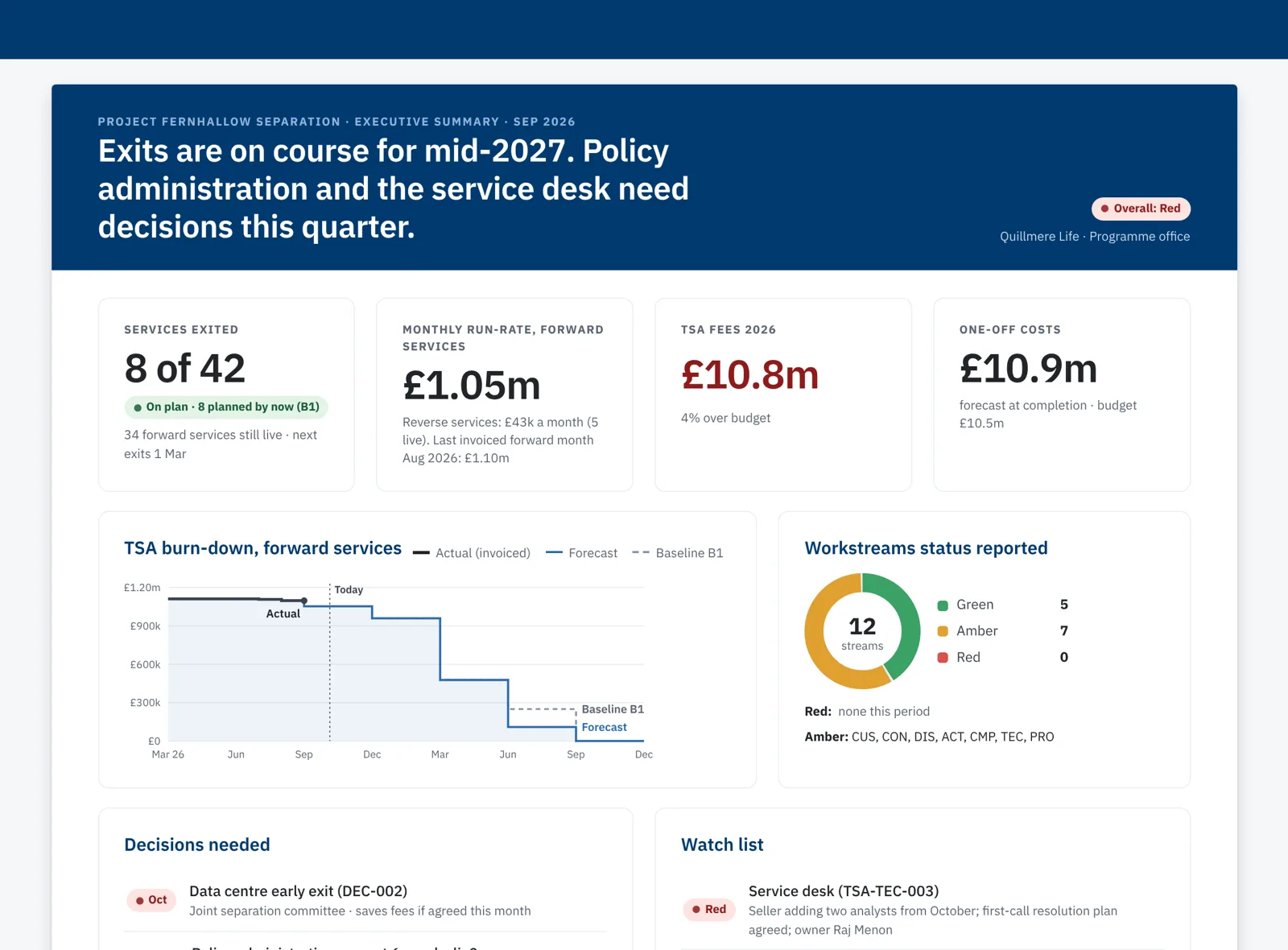
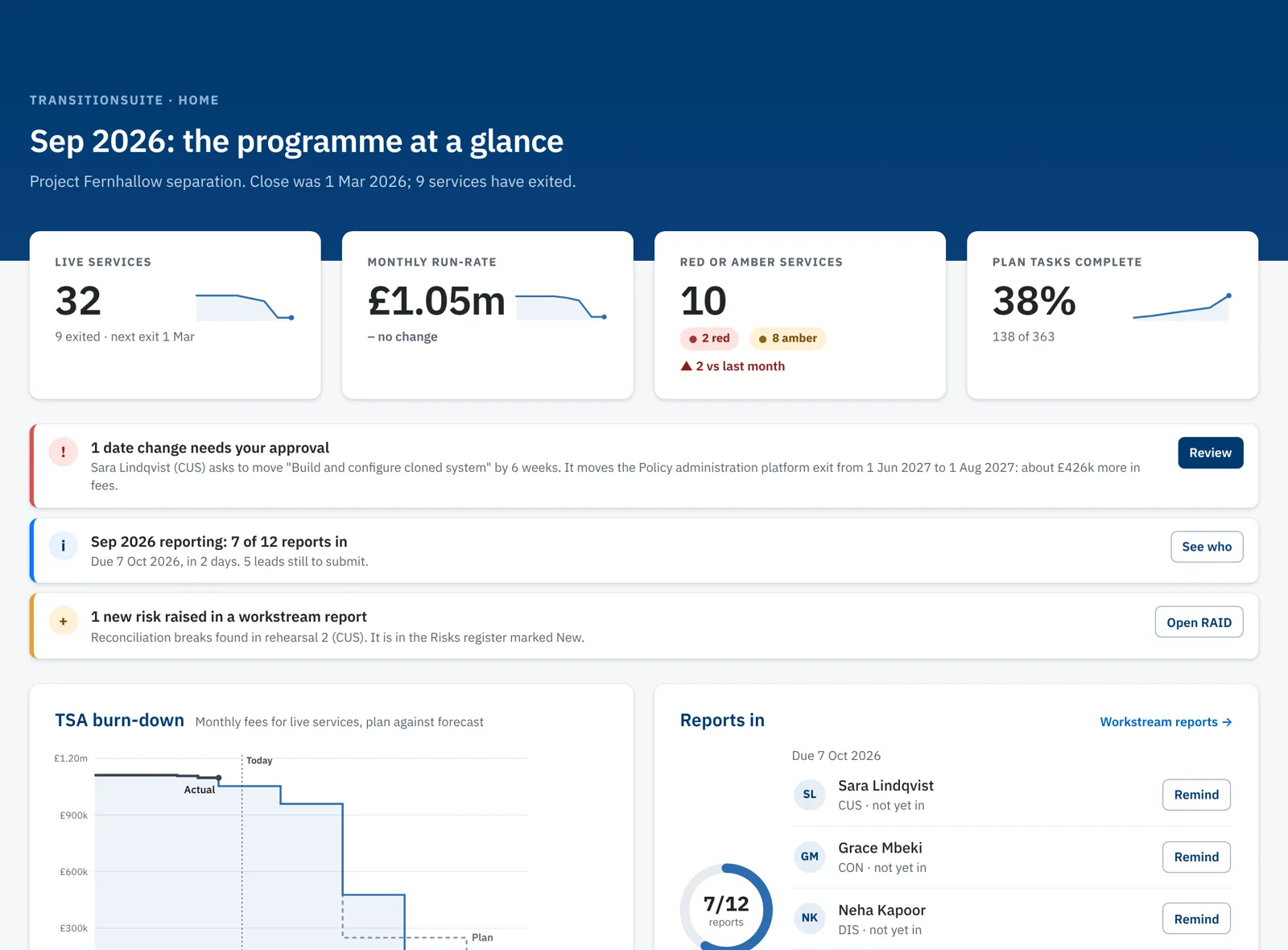
The screens below run on fictional demo data: Quillmere Life buying a book of business from Fernhallow Mutual.
Start before closing. You can set up TransitionSuite while the deal is being negotiated. Leveraging our full catalog of 200 TSA services, it helps you define the services and their service levels, and check that no critical clause is missing from the contract before you sign.
Click a screen to explore
A flexible user experience and operating system that aligns with your technology environment
Three levels, one set of screens. Each level adds to the one before, and the workbook always works on its own.
Workbook
A structured Excel workbook that holds the whole program.
- Registers, plans and reports, ready to fill in
- A starter library of TSA services, risks and actions
- A standalone report file for each workstream lead
Needs: Excel. No macros, no add-ins.
Workbook and add-in
Polished screens in a panel beside the workbook, for the program office.
- A home page showing what needs attention this month
- Edit forms that work out values as you type
- Governance packs and invoices to print or save as PDF
Needs: an Office add-in, deployed by your IT through the Microsoft 365 admin center.
Connected
Workstream leads and executives use the same screens in Teams or a browser.
- Leads report and update their tasks without the workbook
- Date changes go to the program office for approval
- Executives see a live summary
Needs: Microsoft 365 with SharePoint. Access to one program site only.
Your data stays in your Microsoft 365 tenant, with no external links. It remains safely under your control.
TransitionSuite is built with your technology and security demands in mind. It does not run in our cloud; it runs in your secure domain, so approval for deployment is quick and easy.
- Plain .xlsx filesNo macros, VBA, Access or Power Query. Nothing to unblock.
- The add-in sends no data anywhereYour IT hosts its files. Its only outside call is Microsoft's own Office.js.
- One SharePoint site, nothing moreThe Connected level signs in with Microsoft Entra ID and reads only the program's own site.
- Works where your people workExcel on Windows, Mac and the web, Microsoft Teams, and remote desktops such as Citrix.
- UK and US editionsSpelling, dates and multiple currencies to suit your location and global programs.
- A quick check with your IT teamA quick chat with your IT tells us which level fits your environment.
Built for the people who run separations
Program offices
Whatever your program calls the team that runs it. Less time chasing updates and rebuilding packs, more time on the exits that are at risk.
Separation executives at insurers
One clear view of exits, fees and risks each month, and a record of every date change and the decision behind it.
Consulting firms that run SMOs
Put your own logo on packs and invoices, start each engagement from a proven library, and hand the client a tool they can keep running.
Built from real separations

Tim Thomas
Lead consultant, Whisper Consulting, and creator of TransitionSuite
Tim has run transition services and separation programs for insurance companies all around the world since 2008. That's more than ten transactions, 1,500 TSA services and hundreds of millions in separation spend. He knows the pitfalls, the gotchas and how to avoid them.
Book a demo
A 30-minute walkthrough on demo data, shaped around your deal. Email us and say which level interests you.
- Program offices and separation leads
- Consulting firms interested in white-label use
- IT teams with questions about deployment